
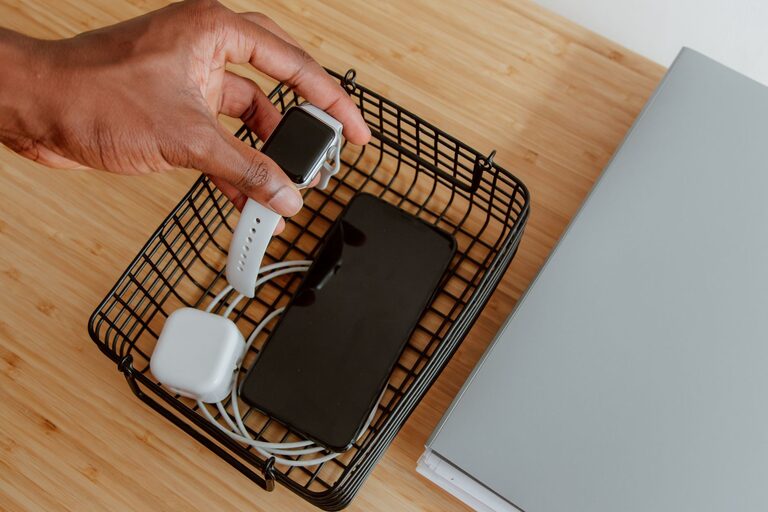
Setting up a dedicated charging station for your devices is a great way to keep your electronics organized, charged, and ready to use. Whether you have smartphones, tablets, smartwatches, or earbuds, having one central location to charge them all can simplify your daily routine and reduce clutter.
In this guide, we’ll walk you through how to create an efficient and tidy charging station in your home, using simple tools and ideas that suit a variety of spaces and needs.
Why Set Up a Charging Station?
Before diving into the setup, it’s helpful to understand the benefits of having a charging station:
– Organization: Keeps cords, chargers, and devices in one place.
– Convenience: Makes it easy to charge multiple devices at once.
– Safety: Reduces the risk of tangled cables and accidental damage.
– Aesthetics: Creates a clean and neat look in your room or office.
Choosing the Right Location
The first step is to choose a good spot for your charging station. Consider these factors:
– Accessibility: Pick a location where you and others can easily plug in and grab devices.
– Proximity to power outlets: Ideally near wall sockets to avoid using long extension cords.
– Surface space: Look for a flat surface like a desk, shelf, or countertop.
– Ventilation: Avoid enclosed or cramped spots to prevent devices from overheating.
Popular locations include a living room side table, desk, kitchen counter, or a dedicated charging corner in a home office.
What You’ll Need for a Charging Station
Depending on your devices and setup, you may need:
– Power strip or charging hub: Choose one with multiple USB ports and surge protection.
– Charging cables: Select the right cables for each device (USB-C, Lightning, Micro USB).
– Cable organizers: Clips, sleeves, or boxes to keep cords tidy.
– Device holders or stands (optional): To keep phones and tablets upright.
– Labeling supplies (optional): Stickers or tags to identify cables.
Step-by-Step Setup Guide
1. Gather and Sort Your Devices and Chargers
Start by listing all the devices you want to charge regularly. Collect their chargers and cables. Check if any cables are damaged or outdated and replace them if needed.
2. Select a Power Source
Use a quality power strip or charging hub with enough ports for all your devices. A charging station with USB ports can reduce the number of wall adapters you need.
3. Arrange the Power Strip and Cables
Place the power strip near the chosen location, plugging it into a wall outlet. Use cable organizers or ties to group and shorten cables to prevent tangling.
4. Designate Spots for Each Device
Assign a specific spot for each item on your charging station. Using holders or stands can help keep devices upright, making them easy to grab and monitor when charging.
5. Manage Cable Length and Clutter
Use cable clips or sleeves to guide cables neatly along surfaces or behind furniture. Consider a charging box or enclosure to conceal the power strip and cables, improving safety and appearance.
6. Label Cables and Ports
If many people use the charging station or you have similar cables, labeling each one can save time and reduce frustration.
Tips for Maintaining Your Charging Station
– Regularly check cables for wear and replace damaged ones promptly.
– Keep the area clean by dusting and wiping surfaces.
– Update chargers as needed to support new devices and faster charging.
– Limit charging overnight to avoid overcharging and conserve battery health (check your device’s recommendations).
Creative Charging Station Ideas
– Drawer charging station: Convert a drawer into a hidden charging zone with holes for cables.
– Decorative charging station: Use baskets, trays, or decorative boxes that match your home décor.
– Wall-mounted station: Install shelves or small cabinets with built-in charging ports to save surface space.
Conclusion
Creating a charging station is a simple yet effective way to keep your devices powered and your space clutter-free. By choosing the right location, organizing cables, and using practical tools, you can design a charging setup that works perfectly for your home and lifestyle.
Start small and customize your charging station over time to fit your changing device needs. With a little planning, your devices will always be charged and ready to go!