
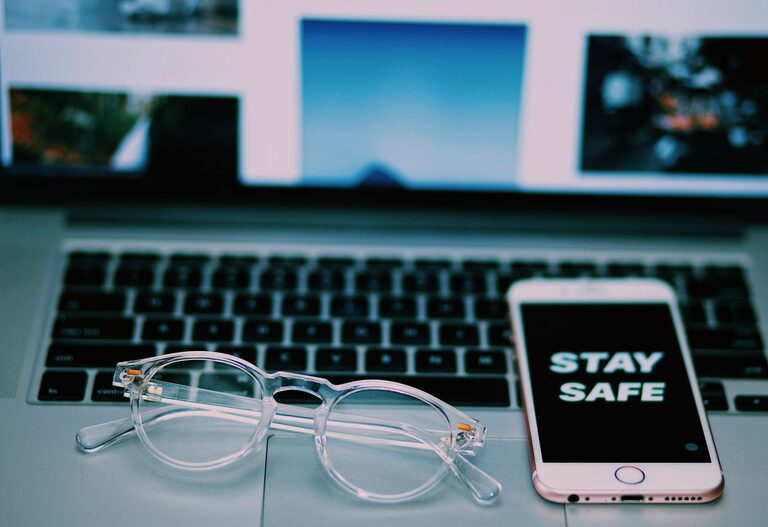
Keeping your phone and keyboard clean is essential not only for hygiene but also to maintain the proper functioning of your devices. Dust, dirt, and germs accumulate over time, leading to sticky keys, smudged screens, and potential health risks. However, cleaning these devices safely requires the right tools and techniques to avoid damage. In this guide, we will walk you through simple, effective ways to clean your phone and keyboard thoroughly and safely.
Why Clean Your Phone and Keyboard?
Phones and keyboards are among the most frequently touched objects in our daily lives. Smartphones are constantly in our hands, faces, and pockets, while keyboards can harbor germs from prolonged use. Cleaning these devices regularly helps:
– Prevent the spread of bacteria and viruses
– Remove dirt, oils, and residue that affect performance
– Extend the lifespan of your devices
– Improve appearance and typing experience
Now that we understand the importance, let’s explore how to clean each device properly.
How to Clean Your Phone Safely
Phones are delicate electronic devices, so cleaning them requires gentle methods.
What You’ll Need
– Microfiber cloth
– Distilled water
– Isopropyl alcohol (70% or less)
– Cotton swabs
– Small spray bottle (optional)
– Soft-bristle brush (optional)
Steps to Clean Your Phone
- **Turn Off Your Phone and Unplug Accessories**
Always power down your phone and disconnect charging cables or headphones before cleaning.
- **Remove Your Phone Case**
Take off any protective case to clean both the phone and case separately.
- **Prepare Your Cleaning Solution**
Mix equal parts distilled water and isopropyl alcohol in a small spray bottle if desired. Avoid using bleach or household cleaners.
- **Wipe the Screen and Body**
Lightly spray the microfiber cloth with your cleaning solution—never spray directly on the phone. Gently wipe the screen, back, and sides to remove fingerprints and dirt.
- **Clean Ports and Small Areas**
Use a dry cotton swab or a soft-bristle brush to remove dust or debris from charging ports, speaker grills, and microphone openings.
- **Dry and Reassemble**
Allow the phone to air dry for a few minutes before replacing the case and powering it on again.
Tips for Phone Cleaning
– Clean your phone at least once a day, especially after being in public places.
– Avoid using abrasive materials or excessive liquid to prevent screen damage.
– Consider using screen protectors and cases that are easy to clean.
How to Clean Your Keyboard Safely
Whether you use a laptop or an external keyboard, regular cleaning enhances performance and hygiene.
What You’ll Need
– Compressed air canister
– Microfiber cloth
– Isopropyl alcohol (70% or less)
– Cotton swabs
– Small brush (like a paintbrush)
– Mild soap and water (for keycaps, if removable)
Steps to Clean Your Keyboard
- **Unplug or Power Off Your Keyboard**
Disconnect the keyboard or turn off your laptop to avoid accidental typing or damage.
- **Remove Loose Debris**
Turn the keyboard upside down and gently shake it to dislodge crumbs and dust.
- **Use Compressed Air**
Spray compressed air between the keys to blow out dust, hair, and small particles. Use short bursts and hold the can upright.
- **Wipe the Surface**
Lightly dampen a microfiber cloth with isopropyl alcohol or a mixture of mild soap and water. Wipe the keys and surrounding surfaces thoroughly.
- **Clean Between Keys**
Dip a cotton swab in isopropyl alcohol and carefully clean between the keys, removing any stubborn grime.
- **Clean Removable Keycaps (Optional)**
If your keyboard allows, gently pop off keycaps and soak them in warm soapy water for 10-15 minutes. Dry completely before reattaching.
- **Let It Dry**
Allow the keyboard to dry fully before reconnecting or turning it on.
Tips for Keyboard Cleaning
– Avoid eating near your keyboard to reduce buildup.
– Clean your keyboard at least once a month or more often with heavy use.
– Never pour liquids directly onto your keyboard.
General Device Cleaning Safety Tips
– Always check the manufacturer’s cleaning recommendations for your specific devices.
– Avoid harsh chemicals like ammonia, bleach, or window cleaners.
– Use soft, lint-free cloths to prevent scratches.
– Handle your devices gently during the cleaning process.
– Wash your hands before and after cleaning devices to reduce contamination.
Conclusion
Regularly cleaning your phone and keyboard helps maintain device performance and personal hygiene. Using gentle techniques and the proper materials ensures you won’t damage your valuable gadgets. By following the steps outlined above, you can keep your devices looking and working great every day.
Remember, a clean device is a happy device!