
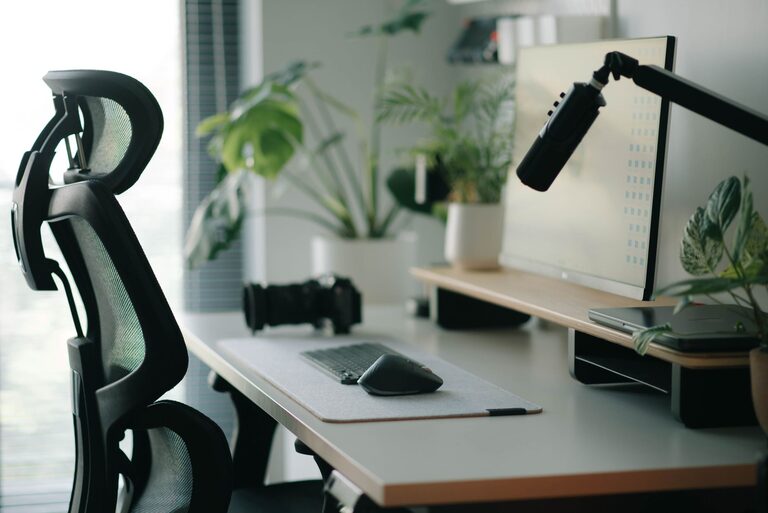
Creating a desk setup that promotes both focus and comfort is essential for productivity and well-being, whether you work from home or in an office. A well-organized and ergonomically sound workspace can reduce distractions, prevent discomfort, and help you stay energized throughout the day. In this post, we’ll explore practical tips for designing a desk setup that supports your work habits and physical health.
Why a Good Desk Setup Matters
Your desk setup impacts how you feel and perform during work hours. Poor arrangements can lead to discomfort, fatigue, and reduced concentration. Conversely, a thoughtful layout encourages better posture, minimizes strain, and creates a calm environment conducive to focus.
Choose the Right Desk and Chair
Desk Height and Space
An ideal desk should be at a height that allows your forearms to rest parallel to the floor when typing. Standard desk heights range from 28 to 30 inches, but adjustable desks are great for tailoring to your needs. Also, ensure the desk surface offers enough room for your computer, notes, and any tools without feeling crowded.
Ergonomic Chair
Invest in a chair with adjustable height, lumbar support, and comfortable padding. Your feet should rest flat on the floor, or on a footrest, and your back should be fully supported. Sitting on a supportive chair helps prevent back pain and encourages better posture.
Optimize Monitor Placement
Position your monitor so that the top of the screen is at or slightly below eye level. This reduces neck strain by keeping your head in a neutral position. Place the screen about an arm’s length away to minimize eye fatigue. If you use multiple monitors, arrange them to avoid excessive head turning.
Organize for Efficiency and Minimal Distractions
Declutter Your Desk
Keep only essential items within arm’s reach to avoid distractions. Store less frequently used tools and documents in drawers or shelves. A clean surface promotes mental clarity and makes it easier to focus on the task at hand.
Use Cable Management Solutions
Messy cables can create visual clutter. Use clips, sleeves, or under-desk trays to keep wires organized and out of the way. This also reduces the risk of accidental unplugging or damage.
Incorporate Task Lighting
Good lighting is crucial. Natural light is best, so position your desk near a window if possible. Add a desk lamp with adjustable brightness and direction for focused illumination, especially during darker hours. Avoid harsh overhead lights that cause glare.
Maintain Proper Posture and Take Breaks
Posture Tips
– Keep your back straight and shoulders relaxed.
– Your wrists should remain in a neutral position while typing.
– Avoid leaning forward or slouching.
Regular Breaks
Even with the perfect setup, sitting for long periods can be harmful. Follow the 20-20-20 rule: every 20 minutes, look at something 20 feet away for at least 20 seconds. Stand up and stretch every hour to promote circulation.
Personalize for Comfort and Inspiration
Adding personal touches like plants, photos, or artwork can make your workspace more inviting and motivating. Choose items that inspire you but avoid cluttering the desk. A small potted plant can improve air quality and add a touch of nature.
Use Accessories to Enhance Comfort
Keyboard and Mouse
Consider ergonomic keyboards and mice that reduce strain on your hands and wrists. Place them close enough to prevent reaching and keep your wrists straight.
Footrest
If your feet don’t comfortably reach the floor, a footrest can provide support and improve circulation.
Monitor Stands or Adjustable Arms
These allow precise positioning of your screens and free up desk space underneath.
Keep Your Workspace Clean and Maintained
Set aside a few minutes at the end of each day to tidy your desk. Wipe surfaces and organize items for the next day. Regular maintenance keeps your workspace functional and pleasant.
—
By paying attention to these desk setup tips, you can create a workspace that supports your productivity and well-being. Remember that everyone’s needs are different, so feel free to adjust these suggestions to fit your preferences and work style. A comfortable and organized desk is not just about aesthetics—it’s a foundation for successful and enjoyable work.